11 min read
Reclaim Space on a Developer Mac: Xcode, Docker, Homebrew and node_modules
DerivedData, old simulators, Docker.raw, Homebrew downloads, npm and pip caches, and a forest of node_modules — where developer junk piles up on a Mac and the commands that clear it.
- Developers
- How-to
A developer's Mac fills up differently from everyone else's. The photos and downloads are there too, but they're dwarfed by build products, package caches, simulator images, container disks and a forest of node_modules folders — none of which show up in any category macOS knows how to name, so they all land in System Data. It's common for a 512 GB MacBook to have 100–200 GB of this, and almost all of it is regenerable.
This guide goes tool by tool: where each one keeps its junk, how big it gets, and the command that clears it. Everything here is safe in the sense that it can be rebuilt; the cost is a slower next build or a re-download.
Find out what you're dealing with
Start with the sizes so you clean the right thing:
du -sh ~/Library/Developer/Xcode/DerivedData \
      ~/Library/Developer/CoreSimulator \
      ~/Library/Developer/Xcode/iOS\ DeviceSupport \
      ~/Library/Developer/Xcode/Archives \
      ~/Library/Containers/com.docker.docker \
      ~/Library/Caches/Homebrew \
      ~/.npm ~/.cache ~/.gradle ~/.cocoapods ~/.cargo ~/go 2>/dev/null | sort -rh
And the one that surprises people most — every node_modules on the disk:
find ~ -name node_modules -type d -prune -not -path "*/node_modules/*" 2>/dev/null \
  | xargs -I{} du -sh {} 2>/dev/null | sort -rh | head -30
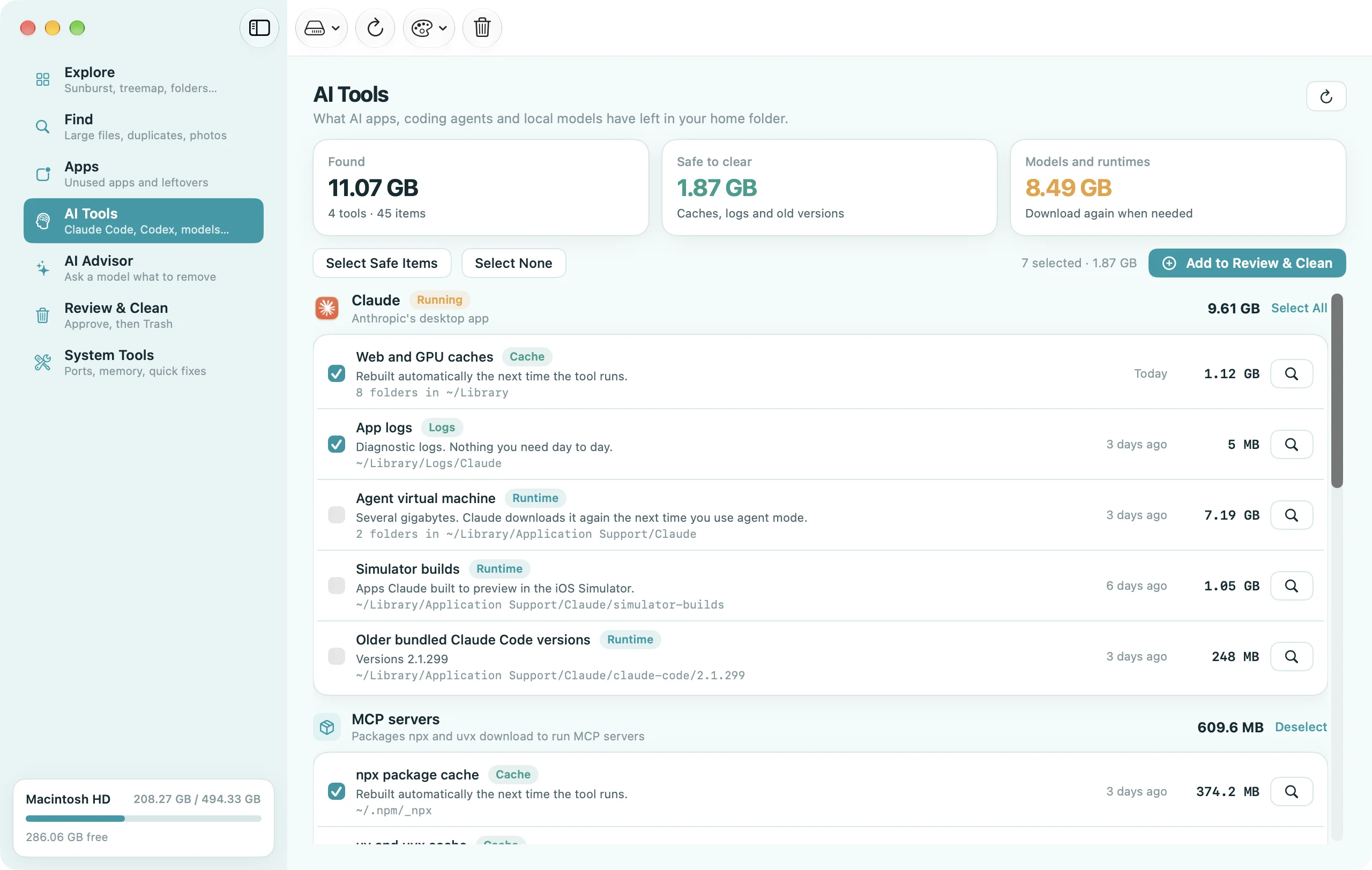
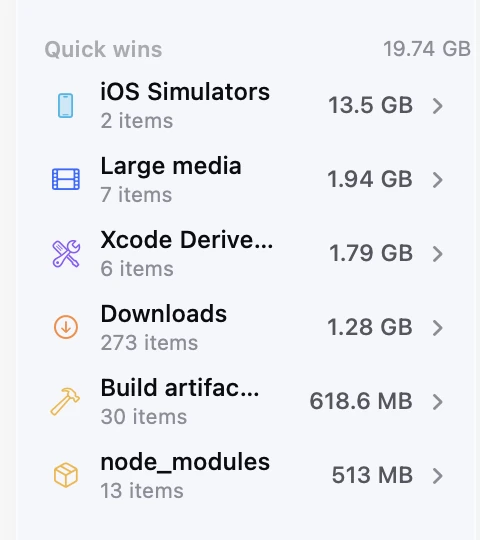
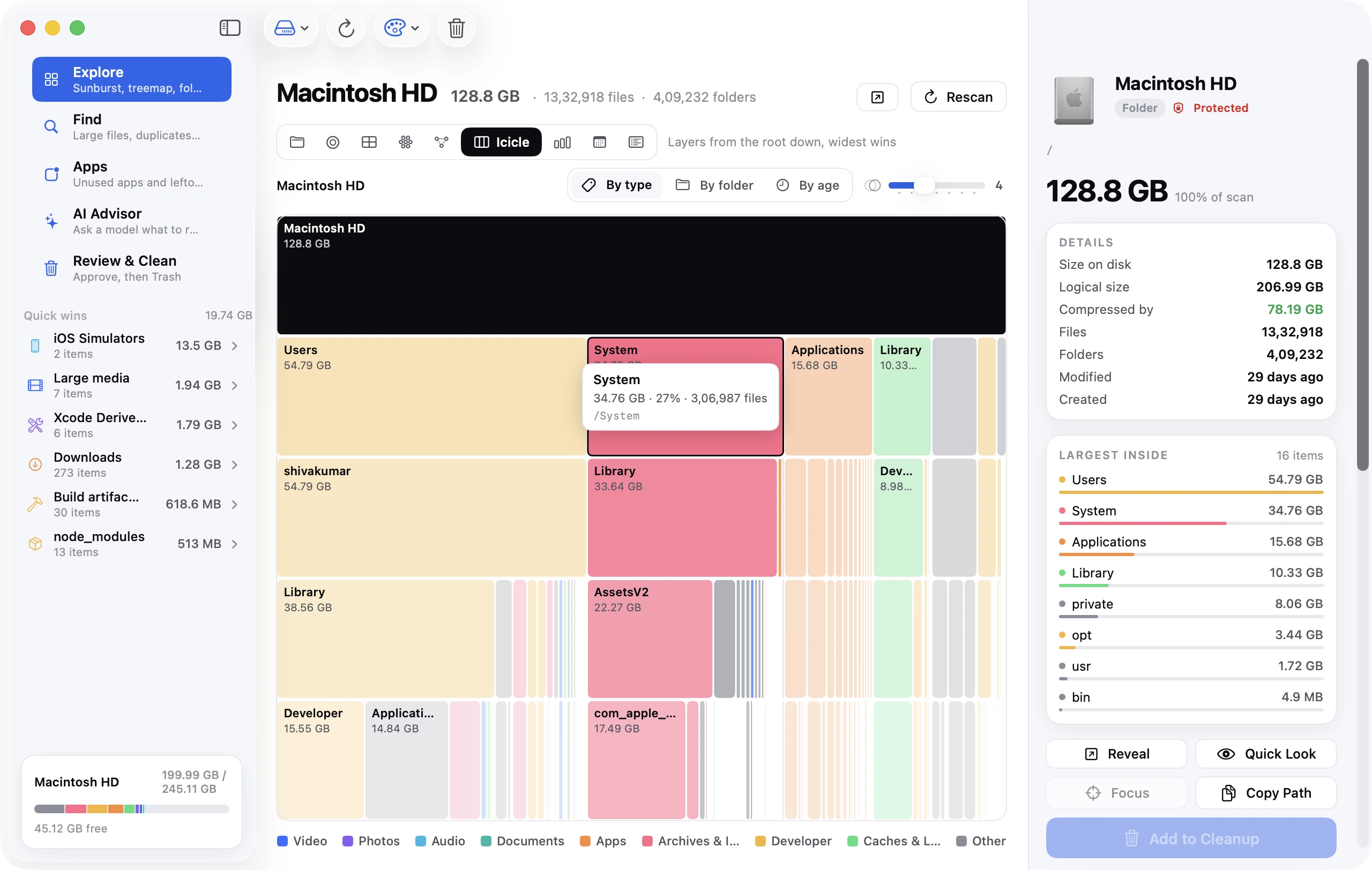
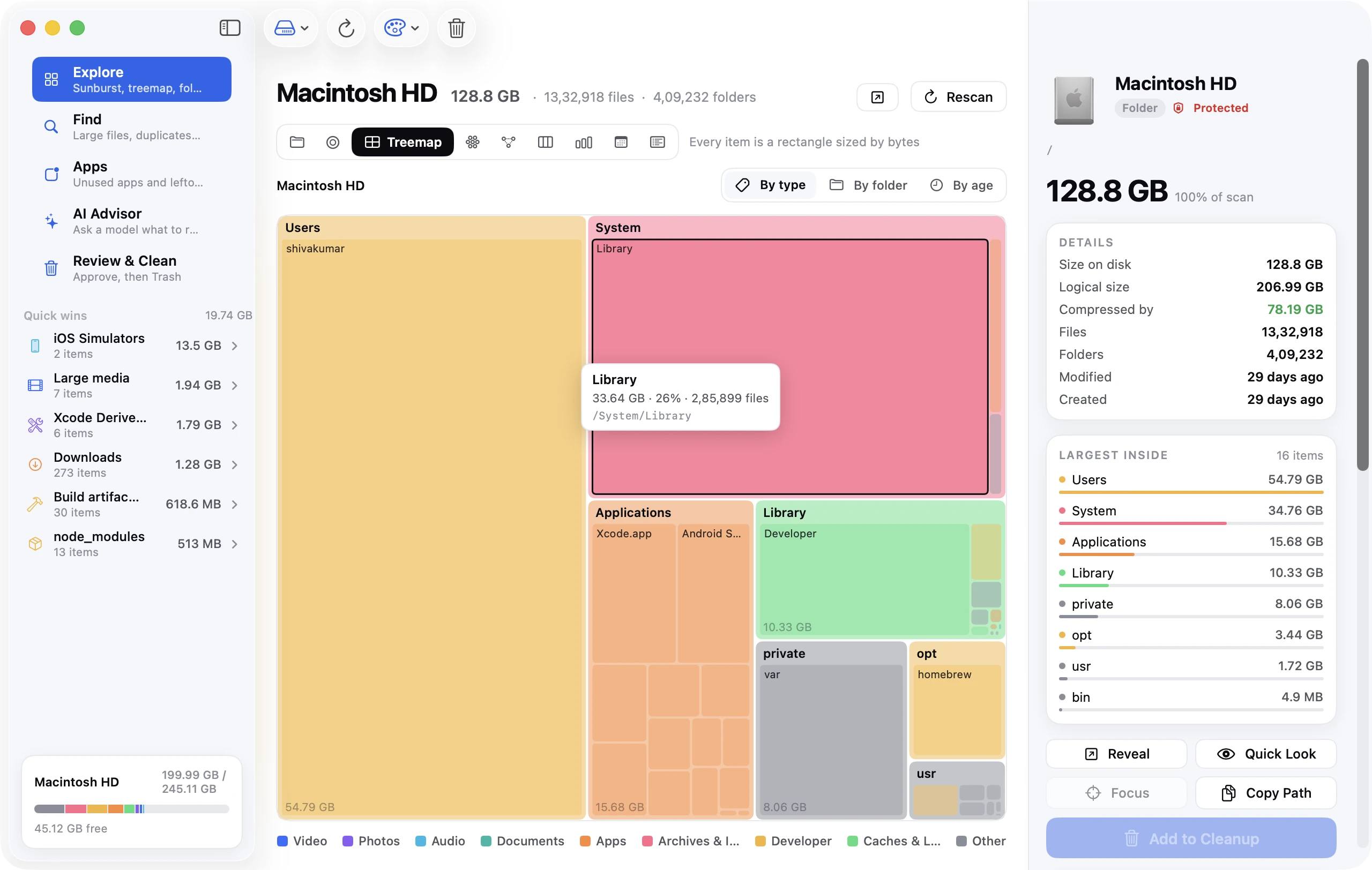
Disk Clean AI's scan does this automatically: node_modules, Build artifacts (build, dist, target, .next, Pods, .gradle and similar), Xcode DerivedData and iOS Simulators each appear as a Quick Win with a total, and the Explore treemap shows how they sit inside your projects.
Xcode
Xcode is the single biggest source of developer clutter on a Mac, and it has five separate places to look.
DerivedData — the intermediate build products
~/Library/Developer/Xcode/DerivedData holds indexes, build intermediates and products for every project you've ever opened. It's rebuilt on the next build, so it's always safe to delete, and it often reaches 20–50 GB:
rm -rf ~/Library/Developer/Xcode/DerivedData
Or in Xcode: Settings → Locations → Derived Data → the arrow icon opens the folder in Finder. Product → Clean Build Folder (⇧⌘K) cleans only the current project.
Simulators
Each simulator runtime (iOS 17.5, iOS 18.0, watchOS 11…) is a multi-gigabyte disk image, and each simulated device keeps its own data. Two commands:
# Delete devices whose runtime is no longer installed
xcrun simctl delete unavailable

# Wipe the data of every remaining device (apps, settings) but keep the devices
xcrun simctl erase all
To remove whole runtimes: Xcode → Settings → Components (or Platforms on older versions), select a runtime and press delete. On recent Xcode, xcrun simctl runtime list and xcrun simctl runtime delete <id> do the same from Terminal. Old runtimes you no longer target are the biggest win — 5–8 GB each.
iOS DeviceSupport
When you plug in an iPhone, Xcode copies debugging symbols for that exact iOS version into ~/Library/Developer/Xcode/iOS DeviceSupport. Nothing ever removes old versions. It's safe to delete all of them; Xcode re-copies what it needs the next time a device is connected:
rm -rf ~/Library/Developer/Xcode/iOS\ DeviceSupport/*
There are matching folders for watchOS and tvOS next to it.
Archives
~/Library/Developer/Xcode/Archives keeps every build you've archived for distribution, with dSYMs. Keep the archives of versions that are live in the App Store (you need the dSYMs to symbolicate crashes); delete the rest from Window → Organizer, or by date in Finder.
Old Xcode versions
Each Xcode is 10–15 GB installed (much more during installation). If /Applications has Xcode.app and Xcode-15.app, delete the one you don't use. xcode-select -p shows which one the command line tools point at.
Docker Desktop
Docker Desktop runs Linux in a VM and stores every image, container and volume inside one file, Docker.raw, in ~/Library/Containers/com.docker.docker/Data/vms/0/data/. The file grows as you pull images and never shrinks on its own — deleting containers frees space inside the disk image, not on your Mac, until Docker compacts it.
Reclaim from inside Docker:
# Unused containers, networks, dangling images and build cache
docker system prune

# Everything not currently used by a running container, including all unused images
docker system prune -a --volumes
Then check Docker Desktop → Settings → Resources → Advanced → Disk image size. The slider sets the maximum; lowering it forces a compaction. If Docker.raw is still enormous after pruning, Troubleshoot → Clean / Purge data resets the whole VM — you'll re-pull your images.
Docker's build cache is often the real culprit: docker builder prune on its own can free tens of gigabytes. Alternatives like OrbStack and Colima keep their disks in ~/.orbstack and ~/.colima respectively; the same prune commands apply.
Homebrew
Homebrew keeps every downloaded bottle and cask installer in ~/Library/Caches/Homebrew, and old versions of formulae in /opt/homebrew/Cellar (Apple silicon) or /usr/local/Cellar (Intel). Two commands:
brew cleanup --prune=all   # delete cached downloads and old versions
brew autoremove            # remove dependencies nothing needs any more
brew cleanup -n shows what would be removed first. For an idea of the cache size: du -sh $(brew --cache).
Node.js: npm, pnpm, Yarn and node_modules
The caches
npm cache clean --force      # ~/.npm/_cacache
pnpm store prune             # removes unreferenced packages from the pnpm store
yarn cache clean             # ~/Library/Caches/Yarn (Yarn 1) or .yarn/cache (Berry)
npm cache verify is gentler than clean: it removes corrupt entries and reports the size.
The node_modules forest
Every JavaScript project keeps its own copy of its dependencies, so ten old projects easily hold 5–10 GB between them. There's no cache command for this; the fix is to delete node_modules in projects you're not actively working on. npm install (or pnpm install) brings it back in a minute when you return.
To delete every node_modules that hasn't been touched in 90 days:
find ~/Projects -name node_modules -type d -prune -mtime +90 -exec rm -rf {} +
Adjust ~/Projects to wherever your code lives, and consider running it without -exec rm -rf {} + first to see the list. npkill (npx npkill) gives you an interactive list of every node_modules with sizes and a keypress to delete — many developers keep it around for exactly this.
Switching to pnpm prevents the problem structurally: it hard-links packages from a single global store, so twenty projects using the same version of a package share one copy.
Build output
.next, dist, build, out, .nuxt, .turbo, .parcel-cache, coverage — all regenerable. Adding them to a global .gitignore won't free space, but deleting them in inactive projects will.
Python
pip cache purge                          # ~/Library/Caches/pip
conda clean --all                        # if you use conda: package tarballs and index cache
uv cache clean                           # if you use uv
Virtual environments (venv/, .venv/, or ~/.virtualenvs) are the Python equivalent of node_modules: a full copy of every dependency per project. PyTorch and TensorFlow environments run to several gigabytes each. Delete the ones for finished projects and recreate from requirements.txt when needed.
Jupyter, Hugging Face (~/.cache/huggingface — model downloads, often tens of GB) and PyTorch (~/.cache/torch) all cache under ~/.cache. Check it: du -sh ~/.cache/*.
Other toolchains
| Tool | Where | Clear |
|---|---|---|
| Rust / Cargo | ~/.cargo/registry, per-project target/ | cargo install cargo-cache && cargo cache -a; delete target/ in old projects |
| Go | ~/go/pkg/mod, ~/Library/Caches/go-build | go clean -modcache -cache |
| Java / Gradle | ~/.gradle/caches, ~/.gradle/wrapper/dists | rm -rf ~/.gradle/caches; delete unused wrapper distributions |
| Maven | ~/.m2/repository | delete old artifact folders, or the whole repository |
| CocoaPods | ~/.cocoapods/repos, ~/Library/Caches/CocoaPods | pod cache clean --all; rm -rf ~/.cocoapods/repos/trunk (re-cloned on next pod install) |
| Flutter / Dart | ~/.pub-cache, flutter/bin/cache | flutter pub cache clean, flutter precache --clean |
| Android Studio | ~/Library/Android/sdk/system-images, emulator AVDs in ~/.android/avd | SDK Manager → uncheck unused system images; delete AVDs from Device Manager |
| Ruby | gem cache in each Ruby's gems/cache | gem cleanup |
| VS Code | ~/Library/Application Support/Code/CachedExtensionVSIXs, workspace storage | safe to delete; extensions reinstall if needed |
| JetBrains IDEs | ~/Library/Caches/JetBrains/<IDE> | File → Invalidate Caches in the IDE |
Virtual machines
Parallels, VMware Fusion and UTM disk images are the largest single files on many developer Macs (30–100 GB each). They're not junk — but VMs for OS versions you no longer test against are. Delete them from inside the VM app so its own bookkeeping stays consistent. If you keep a VM, check whether its disk is set to expand only; a VM configured with a pre-allocated 100 GB disk uses 100 GB whether or not the guest fills it.
A monthly routine
The commands that are safe to run blindly, together:
rm -rf ~/Library/Developer/Xcode/DerivedData
xcrun simctl delete unavailable
brew cleanup --prune=all && brew autoremove
npm cache clean --force
pip cache purge
docker system prune -f
Save that as a script and run it when the disk warning appears. It typically frees 10–40 GB, and everything it removes comes back as you work.
For the things that need judgement — which node_modules folders, which simulators, which archives — Disk Clean AI lists them with sizes and dates, marks the regenerable ones as safe, and moves whatever you tick to the Trash. Anything under ~/.ssh, ~/.gnupg or ~/.config is flagged for review before it can be queued, and system paths, keychains and your Mail and Photos libraries are protected outright.
FAQ
Is it safe to delete Xcode's DerivedData?
Yes, always. It contains only build intermediates and indexes that Xcode regenerates. The next build of each project takes longer; that's the only effect.
Why is Docker using so much disk on my Mac?
Docker Desktop stores everything in a single VM disk file (Docker.raw) that grows but doesn't shrink automatically. Run docker system prune -a, then lower the disk image size in Docker's settings to compact it.
How do I delete all node_modules folders on my Mac?
find ~ -name node_modules -type d -prune -exec rm -rf {} + removes every one under your home folder (run without -exec first to review). npx npkill does it interactively with sizes.
Where does Homebrew store its cache?
~/Library/Caches/Homebrew. brew cleanup --prune=all empties it and removes old versions from the Cellar.